
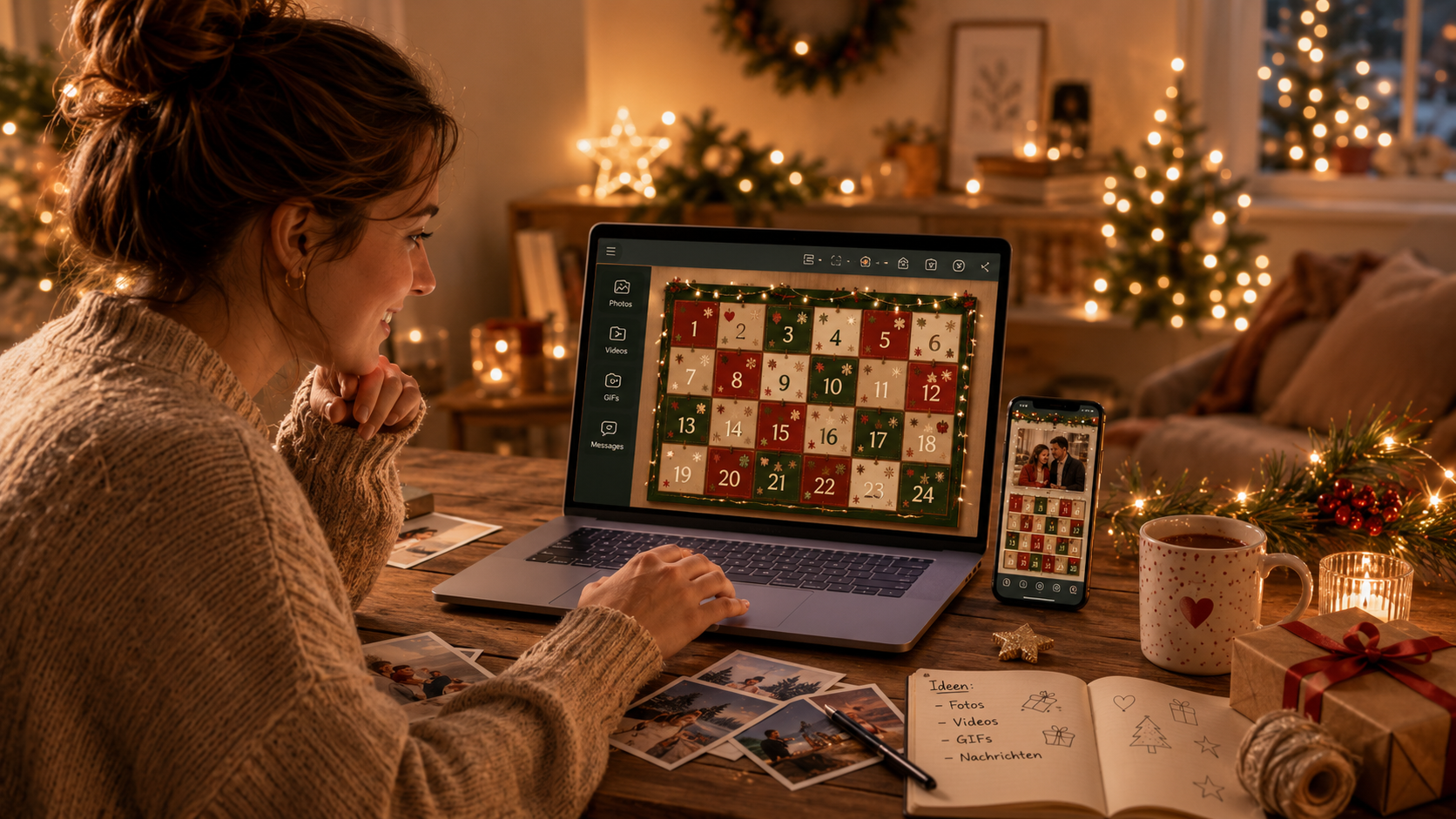
A digital advent calendar with your own photos, videos and voice messages is one of the most personal gifts you can give this holiday season – and one of the simplest to put together. No craft supplies, no shipping, no melted chocolate. Instead: 24 doors, each one tailored individually to the recipient.
In this guide we'll show you how to make your own digital advent calendar in under 30 minutes, which kinds of content work especially well, and how to send it as a simple link – no account, no sign-up, for you or for them.
What is a digital advent calendar, exactly?
A digital advent calendar works like its classic cardboard-and-chocolate counterpart – except behind the doors you'll find personal content instead of a sweet: photos, videos, voice messages, favorite songs, memories. A new door opens automatically every day in December.
The decisive advantage over store-bought calendars: the contents come from your shared history. A photo from your first date hits differently than the hundredth skincare sample from a beauty calendar.
Digital advent calendars work especially well in three main scenarios:
- For your partner – personal, romantic, rewatchable any time
- For family – kids, parents, siblings, even when you live far apart
- For close friends – instead of Secret Santa, give a mini calendar full of inside jokes
What you need to get started
You need exactly three things:
- Your smartphone (iPhone or Android)
- An app for digital advent calendars – we'll show it here using the Advent App, because it starts free and nobody needs an account, not you and not the recipient
- 30 minutes of time and roughly 24 pieces of content (photos, videos, voice messages – more on that below)
You don't need to be a tech pro. If you can use WhatsApp, you can build a digital advent calendar.
From idea to finished calendar in 30 minutes: step-by-step
Step 1: gather your content first (10 minutes)
Before you open the app, collect your content in your phone's photo gallery in one place. Create an album called "Advent Calendar 2026" and put in:
- 8–10 photos from your shared history
- 3–5 short videos (15–60 seconds each)
- 5–8 voice messages you record briefly in advance
- 2–3 screenshots of songs, concert tickets, travel plans
If a few days don't have an obvious idea: no problem. You can fill those doors later, even in December.
Step 2: create the calendar in the app (5 minutes)
Open the Advent App and tap "Create new calendar". You'll be asked three things:
- Calendar name (e.g. "For my favorite person" or "Mom Christmas 2026")
- Recipient's name (shows up in the calendar – a small personal touch)
- Calendar design (swipe through the design carousel and pick the one that feels like them)
That's it. The calendar exists.
Step 3: fill the doors (15 minutes)
Tap the first door and add content. Per door you can choose between:
- Photo (landscape or portrait, both work)
- Video (up to 60 seconds – more isn't needed for a door)
- Voice message (intimate, personal – often the most emotional doors)
- GIF or YouTube clip (for the doors that are meant to make them laugh)
- Text message (for short love notes or vouchers)
All eight how-to videos, step by step: How it works
You don't have to fill all 24 doors at once. If something comes to mind later, you can update doors any time – even on December 23rd, just before they open.
Step 4: send the calendar (1 minute)
When you're done (or at least the first 7 doors are filled), tap "Send calendar". The app generates a link you forward via WhatsApp, email, iMessage or any platform of your choice.
Important: nobody needs an account or a sign-up – not you, not them. The recipient simply downloads the free Advent App, taps your link, and their calendar is ready. That's the whole setup, and it's the reason your grandmother or your tech-skeptical partner can use it too.

Step 5: starting December 1st
From midnight on December 1st, the first door opens automatically for the recipient. Each subsequent day adds another. You don't need to do anything anymore – the app handles the rest.
24 content ideas, in case you're stuck
The most common hurdle with digital advent calendars: "I can't think of 24 things." Here's a list you can mix freely:
Memories from the past
- 1. A photo from your first date or your first day together
- 2. An old photo they've never seen
- 3. A picture of a place you've been together
- 4. A memory in voice-message form
Declarations of love
- 5. Three things you especially love about them (as a voice message)
- 6. A 60-second video where you say what you appreciate most this year
- 7. A voice message with a favorite quote that reminds you of the two of you
Anticipation and plans
- 8. A photo of a place you'd like to take them
- 9. An announcement of a shared plan for January
- 10. Anticipation for your next weekend together
Inside jokes and humor
- 11. An inside joke from your relationship
- 12. An embarrassing photo of yourself, with self-deprecating humor
- 13. An old voice message you re-share
Small gestures and vouchers
- 14. Voucher for a breakfast
- 15. Voucher for a movie night, their pick
- 16. Voucher for a 20-minute massage
- 17. Voucher for "I'll handle the housework this week"
Personal highlights
- 18. A Spotify playlist of songs that connect you – share the link in a text door
- 19. A self-sung birthday song (even if it's not their birthday – just for the laughs)
- 20. A photo of you with a sign: "Halfway – 12 doors to go and then we see each other"
Going deeper
- 21. A voice message with something you've never said out loud to them
- 22. A letter as a long text or voice message
- 23. A list of three things you're grateful for this year
Grand finale
- 24. A video or photo announcing what 2027 will bring for you two
Frequently asked questions about digital advent calendars
Does a digital advent calendar work internationally?
Yes. The calendar opens automatically in the recipient's time zone – whether that's Berlin, New York or Tokyo. The only requirement is an internet connection on the recipient's end. That makes digital calendars especially practical for long-distance relationships.
What if the recipient misses a door?
Missed doors stay available. Anyone offline for a day can open the door later. Future doors stay closed until their date though – the suspense stays intact.
Can I change the doors after sending the calendar?
Yes, as long as the door hasn't opened yet. You can swap content, add or expand it – even on December 23rd for the December 24th door.
What does a digital advent calendar cost?
With the Advent App you can start free and create and send a fully featured calendar. If you'd like the recipient to see no ads when opening doors, that's a one-time small fee per calendar.
Does the calendar stay accessible after Christmas?
Yes. All content stays saved and can be revisited after December 24th. Many users open their calendar a year later as a digital diary of the holiday season.
Can I create multiple calendars for different people?
Yes. You can create as many calendars in parallel as you want – one for your partner, one for your mom, one for your best friend. The contents stay completely separate.
The bottom line: 30 minutes of effort, 24 days of impact
A digital advent calendar is probably the best ratio of effort to impact you'll find this holiday season. Half an hour invested, and you give the recipient 24 days of small daily joys. More personal than any bought gift, instantly available, no shipping, no leftover packaging.
If you're wondering whether to try it: you can start free, build a complete calendar, and decide at the end whether to choose the ad-free send.